Realfire - Swiss Army Knife for Salesforce
Realfire is a comprehensive desktop application for Salesforce professionals. From query building and data management to metadata tools and debug logs, Realfire provides everything you need to work efficiently with Salesforce.
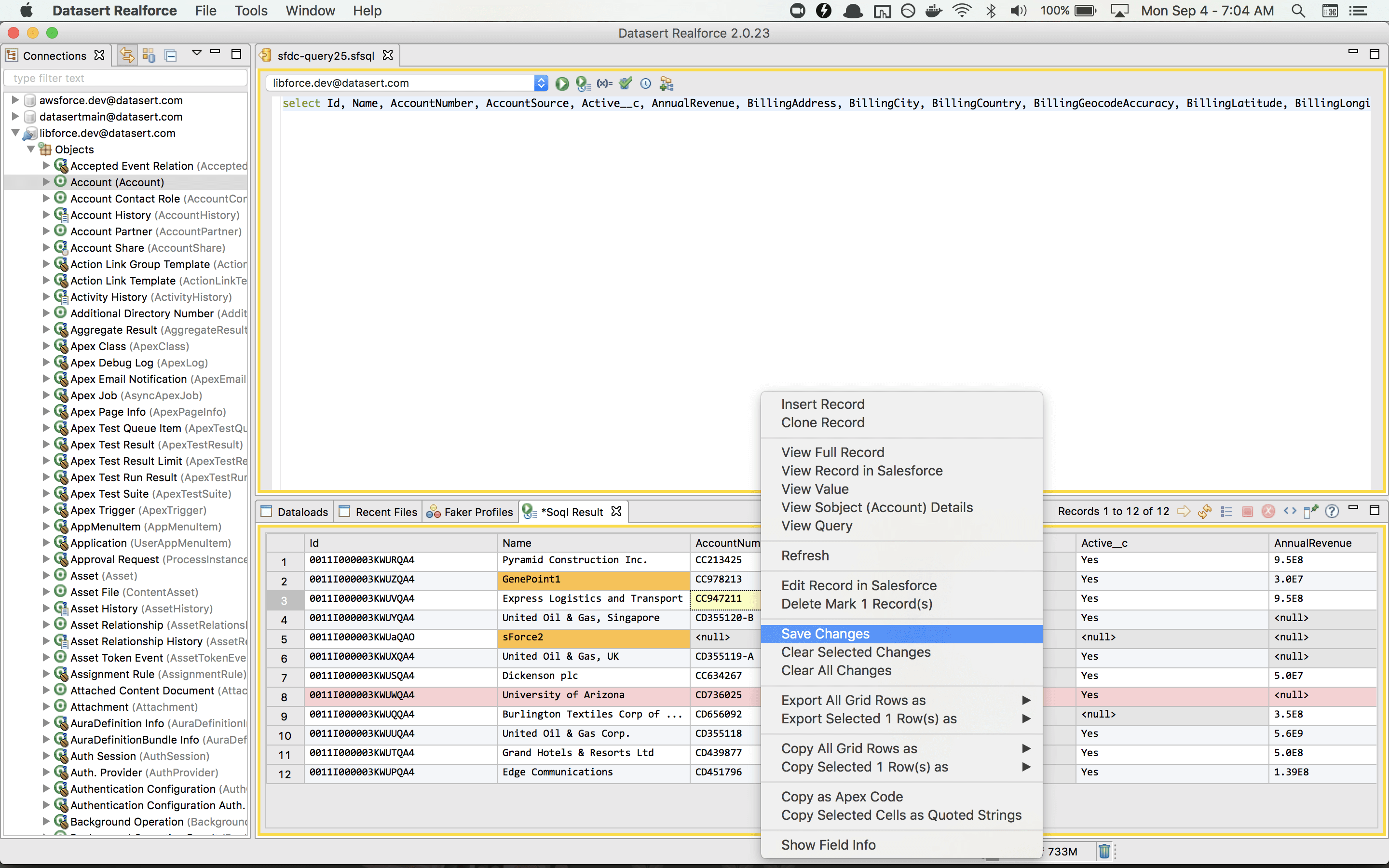
Comprehensive Salesforce Tools
Realfire provides a complete set of tools for Salesforce professionals. From query building to metadata management, everything you need is in one desktop application.
Query Builder
Powerful SOQL and SOSL query builder with IntelliSense, wildcard support, and query variables for efficient data retrieval.
Data Management
View, edit, and manage Salesforce records with advanced filtering, bulk operations, and data export capabilities.
Metadata Tools
Compare metadata between orgs, view field details, manage custom metadata, and perform schema analysis.
Debug Logs
Stream and analyze debug logs in real-time, filter by log levels, and export logs for detailed analysis.
Object Navigator
Quickly explore Salesforce objects, fields, relationships, and record types without navigating through setup menus.
Export & Import
Export data to CSV, Excel, Google Sheets, and more. Import data with field mapping and validation.
Backup & Restore
Professional+ edition includes encrypted backup functionality to secure your local content and configurations.
Multi-Org Support
Manage multiple Salesforce org connections, switch between orgs seamlessly, and compare data across environments.
Pricing
Legacy Realfire pricing, mapped to its full feature set
Based on the classic Realfire pricing page. Prices are per seat, per month, billed annually. Feature limits increase by edition, and the 60-day full-feature Enterprise trial still applies while Realfire remains supported.
Free
Core Realfire tools with limited usage.
Free
Essential
Expanded feature set for day-to-day Salesforce work.
$11/month*
Professional
PopularAdvanced metadata, debug, and productivity tooling.
$42/month*
Enterprise
Full legacy Realfire feature set for enterprise teams.
$84/month*
* Legacy Realfire pricing from the classic site. New customers should evaluate Brobench first.